For photographers
Beyond the photobooth: capture the moments around it
By the Afters team · Updated · 5 min read
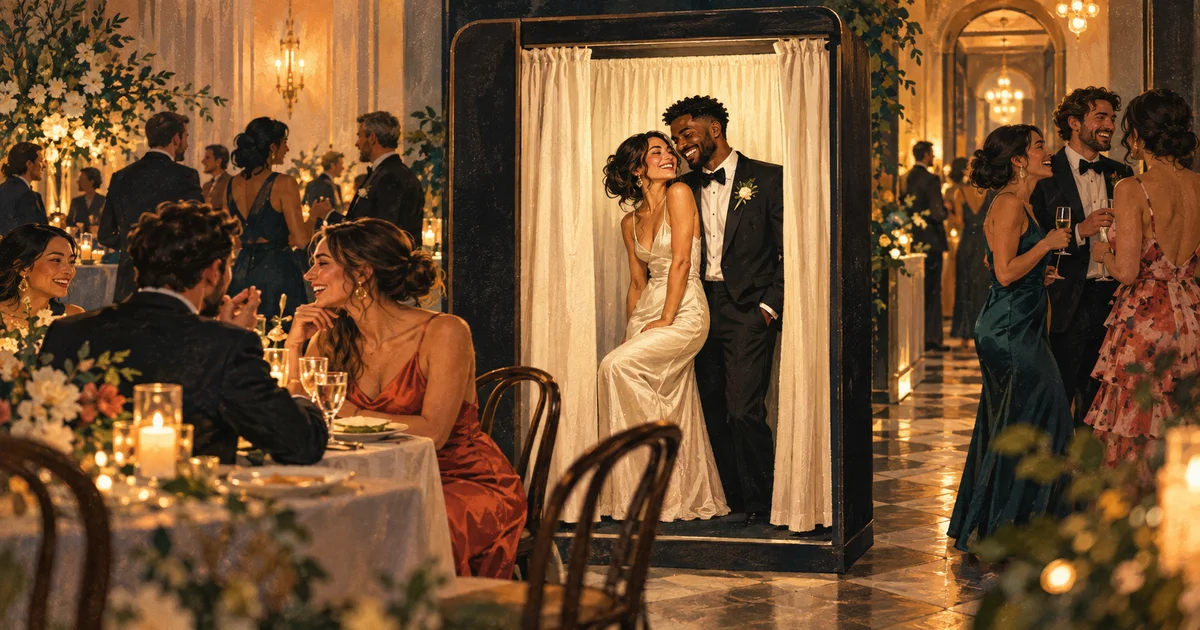
There is a particular happiness around a photobooth. Friends squeeze together, someone makes the same terrible face, and a group that arrived in separate pieces briefly becomes a picture. The booth gives that happiness somewhere to happen.
But people carry the evening away from it too: back to the table, into a corridor conversation, onto the dance floor. A shared guest camera can follow those moments without trying to replace the booth. One gives the room a destination. The other lets guests keep the parts of the night that happened on the way there.
The short version
- Let the booth and the shared camera tell different parts of the evening.
- Explain the second invitation so guests know what they are joining.
- Keep the setup honest: separate experiences, with no assumed software integration.
A portrait and a passing moment are both worth having
The booth picture is often wonderfully intentional. People choose to gather, decide how to stand, and make something together. A candid shared-roll picture might be the conversation afterward, when the prop is still on somebody's head and everyone has stopped posing. Neither image makes the other unnecessary.
For an operator, that is an easy distinction to offer: use the booth for your picture together, and the shared camera for your view of the rest of the night. Afters captures directly into its own roll and develops later. Do not imply that booth files automatically appear there or that the services are integrated.
Introduce the camera when people are ready to linger
A group leaving the booth has already agreed that taking a picture together can be fun. A small, readable card nearby can invite them to continue the story elsewhere. Keep it out of the capture area and away from anything that slows a queue or confuses the next group.
The words can be simple: Take a few pictures around the room with our shared camera. Scan, verify your number, and see the roll when it develops. Include the real link and test the code in event lighting. The venue guide can help find a comfortable place for that second invitation.
Make sure someone cares for the roll after the booth closes
Your attendant may leave before the most enthusiastic guests do. Decide with the client who creates the roll, checks it before reveal and responds to concerns later. The end of your service should not leave the album attached to a responsibility nobody knew they had.
Prepare the idea early, then create and test the roll near the event, within the current roughly three-day scheduling window. Avoid taking a client's login as a shortcut. The Afters host can preview and hide photos before development, but that is not the same as an attendant agreeing to moderate every guest picture all night.
Try it with a client who likes the idea, not a long promise
A first trial does not need a polished new package name. It needs a client who understands the two experiences and would enjoy seeing what their guests notice outside the booth. Keep the explanation close to what the current product does, rather than dressing it in future features.
Test the guest journey on different phones. Check whether the two QR invitations are easy to distinguish and whether guests understand the delayed reveal. Listen to the attendant afterward: did people seem delighted, confused, or simply happy to use the booth? Afters is currently free, so you can learn from a modest pilot without pretending a combined gallery or white-label workflow already exists.
Let the memory belong to the event before it becomes a case study
The client may love a picture of friends reconnecting by the booth. That does not mean they want it in your next advertisement. Ask about promotional use separately and respect the people who appear in the frame. Access to a shared album is not the same as permission to republish it.
The useful question is whether the extra camera made the event feel richer without making your service harder to understand. If it did, you have something worth refining. The after-party photographer guide explores a similar handover: professionals making room for a guest perspective without claiming it as their own.
Questions people ask
Does Afters connect directly to photobooth software?
This setup uses a separate guest roll alongside the booth, not a direct software integration. Check any specific import, export or branding workflow before promising it to a client.
Should the booth QR and guest-camera QR be the same?
Make each destination do what its invitation says. When the booth output and shared camera are separate, label them clearly so guests know which experience they are opening.
Is custom photobooth branding included?
Do not assume a current paid white-label or per-shot branding package. You can try the existing shared camera alongside a booth and confirm any extra commercial capabilities separately.
Keep reading
A venue's guide to getting guests involved in event photos
Make the shared camera feel like part of the welcome, rather than another sign to follow.
After the photographer leaves: a shared camera for the rest of the wedding
You have photographed their day with care. The guests can carry a different part of its story home.
Private event photo sharing: who can see what in Afters?
Feel comfortable in the picture by understanding who can see it and where it can travel.