For event planners
The DJ or MC's guide to getting a shared camera roll started
By the Afters team · Updated · 5 min read
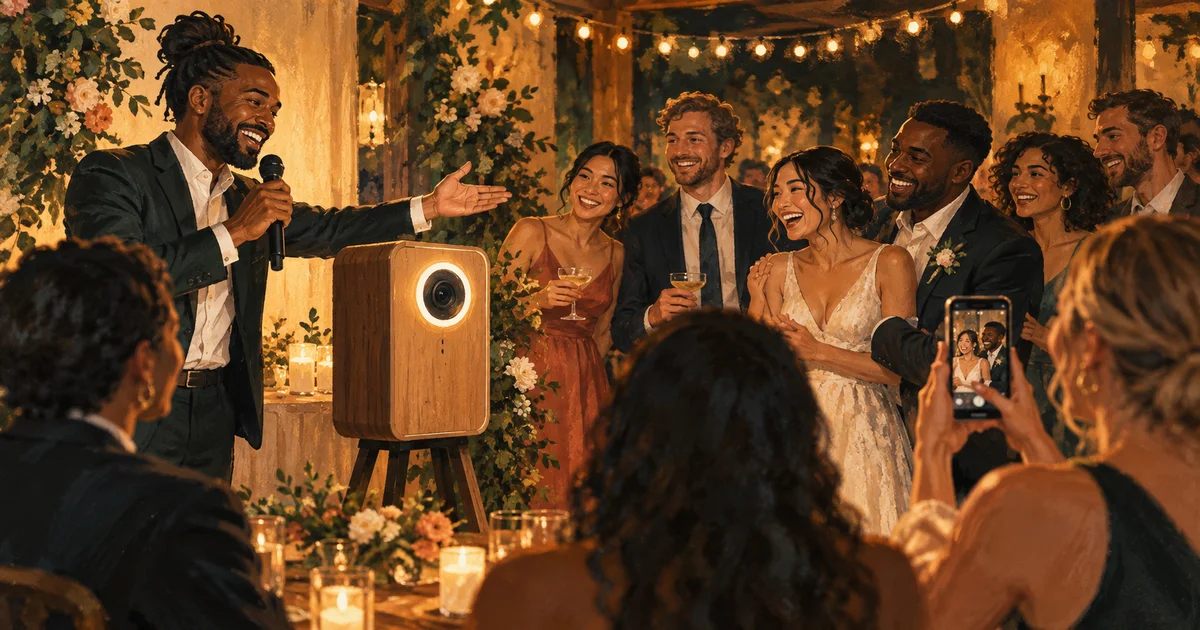
A good MC can make a room feel like a group. Not by speaking for longer, but by finding the sentence that helps people understand what they are part of. A shared camera needs very little more than that.
The couple would love to see the day from where you are sitting. The birthday host should get to be in the pictures too. There will be something to open together tomorrow. Those are reasons to reach for a phone. The instructions can follow briefly, then you can give everyone back to the evening.
The short version
- Lead with the people and the occasion, not the app.
- Explain phone verification and the later reveal plainly.
- Make the invitation once at a useful moment, without pressuring the room.
Know the little details so guests do not have to guess
Before the event, ask the host which roll guests are joining, where to find the real code, how many shots they have and when the photos develop. Know who can help with a practical question. A confident, accurate introduction is easier to make when you are not inventing the setup as you speak.
Agree a natural moment with the host or planner. During an unplugged ceremony, the useful instruction is still to put phones away. At a reception pause, the camera can become a lovely invitation. The planner's guide helps coordinate it without making the announcement another responsibility everyone thought somebody else had handled.
For a wedding: help them see the day through you
Try something like this, adapted to the couple's actual plans: There is a lot happening today that our couple cannot be everywhere to see. They have made a shared camera for your little part of the celebration. If you would like to join, scan the code on your table, verify your number, and take a few photos in your browser. The roll develops tomorrow, so they can wake up to the wedding through your eyes.
Then stop. Let the invitation have its own warmth rather than following it with a catalogue of features. Add a brief reminder about phone-free parts of the day if needed, and use the real reveal time rather than promising tomorrow when the host has chosen something else.
For a birthday: get the host into their own memories
For a smaller party: You know the person who has been finding glasses and making sure everyone has eaten? Let's make sure they get into some pictures too. We have a shared camera tonight. The code is by the drinks; verify your number and take a few frames in your browser. We will see the roll tomorrow, including the bits our host was too busy to notice.
A willing friend can show a quick capture while others carry on talking. The birthday story explains why that small invitation matters. Keep the humor affectionate, and do not turn the host into a target for an evening of photographs they have not asked for.
For a venue night: make a souvenir with the people you came with
For a public event: If you would like a little of tonight to keep, there is a shared camera invitation at the bar. Scan, verify your number, and take a few pictures with friends who are happy to be in them. The roll opens after development tomorrow. Our named host can help if you need a hand.
Keep it optional and close to the real experience. A sealed shared roll is not a live screen display, and a photo invitation is not permission for venue advertising. People can enjoy the camera without agreeing to be part of a promotional campaign. Clear words let them choose comfortably.
Let the room decide how much camera it wants
A later reminder can help newly arrived guests find the code, or let people know shooting is about to close. It does not need to sound like a plea for more content. Guests who have taken no pictures may be having a wonderful time. That is not a problem the microphone needs to solve.
Before the host chooses an early reveal, mention any pending uploads you have heard about; development ends their late-upload opportunity. Otherwise, leave the photos to do their work. The best announcement helps people see a possibility, then gets out of the way before the invitation begins to feel like a task.
Questions people ask
What should a DJ say about a shared wedding camera?
Start with why the couple would love guest perspectives. Then say where the real invitation is, explain phone verification and browser capture, and give the reveal time. Respect any phone-free parts of the day.
When is the best time to announce the guest camera?
Choose a natural pause with the host or planner, when guests can listen and join comfortably. Avoid interrupting a meaningful moment simply because the camera has not been introduced yet.
Should the MC keep asking people to upload?
Only when a reminder is useful. A warm introduction and a demonstration usually give people enough to decide. Nobody should feel they are letting the host down by putting their phone away.
Keep reading
A wedding planner's runbook for guest photos
A little care behind the scenes can leave the couple free to enjoy what comes back.
Host your birthday—and be in the photos
You made the evening happen. Let your friends show you what it looked like to be loved there.
A Halloween party photo plan for bars, clubs and promoters
Give guests something to remember from inside the night, not just the view from the stage.